July 21, 2026
Best Website Template for Writers in 2026: 9 Picks
Compare 9 options to find the best website template for writers in 2026—prices, features, direct sales, and email tools. See which fits your goals.

TL;DR
The best website template for writers depends on your budget, technical comfort, and whether you need to sell books directly. Tertulia and Zenpage are purpose-built for authors and get you live fastest. Squarespace wins on design polish. WordPress offers maximum control for the tech-savvy. Before obsessing over templates, remember that your website is only as good as the book it promotes, so invest in professional book publishing first.
Why Picking the Right Website Template for Writers Matters More Than You Think
Your book is finished. A reader Googles your name. What do they find?
According to Stanford University research, 75% of people judge a company’s credibility based on website design alone. For authors, that first impression determines whether a curious browser becomes a newsletter subscriber, a book buyer, or someone who clicks away and never comes back.
But here’s what most template guides get wrong: they treat website design as the finish line. It’s not. It’s a marketing tool. The top-earning indie authors don’t necessarily have the prettiest websites. They have sites that convert visitors into email subscribers and book buyers. Data from Written Word Media’s 2025 survey shows that authors earning $10K+ per month average over 18,000 email subscribers. Your template choice directly shapes that number.
This guide compares nine website templates and builders for writers across pricing, features, limitations, and the specific author type each one serves best. No fluff, no vague recommendations. Just the information you need to pick the right tool and get back to writing.
What to Look for in a Writer Website Template
Before comparing specific platforms, you need a framework for evaluation. A website template for writers should support six core pages, and it should support them well.
The six essential pages:
- Homepage that introduces who you are and puts your highest priority (new book, series, lead magnet) front and center.
- Books page with cover images, descriptions, and retailer links. This is the most important page on your site.
- About/Bio page, which is consistently the most-visited page on author websites.
- Newsletter signup, because email is the single most valuable asset for long-term book sales.
- Contact page for agents, librarians, journalists, and event organizers.
- Blog (optional but valuable for SEO and reader engagement, if you update it consistently).
Beyond pages, evaluate every template against these criteria:
- Mobile responsive design. More than half your traffic will come from phones.
- Email capture placement. Can you put signup forms on every page, not just a dedicated page?
- Buy-link support. Can you easily link to multiple retailers (Amazon, Apple Books, Barnes & Noble)?
- SEO basics. Custom meta titles, alt text for images, clean URL structures.
- Genre-matching aesthetics. Your site should visually match your book covers and genre. A gritty thriller author’s site shouldn’t look like a pastel tea party. If you’re still working on your book cover design, get that right first since it’s the centerpiece of your entire site.
Quick Comparison Table
| Builder/Template | Starting Price | Free Plan? | Author-Specific? | Direct Book Sales? | Email Tools? | Best For |
|---|---|---|---|---|---|---|
| Squarespace | $16/mo | No (14-day trial) | No | Yes (commerce tier) | Built-in (basic) | Design-conscious authors |
| WordPress.org | Free (hosting ~$3–10/mo) | N/A (open source) | Via themes | Via plugins | Via plugins | Tech-comfortable authors |
| Wix | $17/mo | Yes (branded) | 19 Literary Arts templates | Yes (Core+) | Add-on | Template variety seekers |
| Hostinger | ~$2.69/mo (intro) | No | No | Yes (Business plan) | Built-in | Budget-first debut authors |
| Tertulia | $7.99/mo | 14-day trial | Yes | Yes (Pro plan) | Built-in | Book-sales-focused authors |
| Zenpage | Free | Yes | Yes | Limited | Basic | Zero-budget authors |
| BookBub | ~$10/mo | Free profile | Yes | No | Limited | BookBub-active authors |
| Copyfolio | Freemium | Yes | Letterpress template | No | No | Portfolio-style writers |
| Jin & Co. | Custom pricing | No | Yes | Via WordPress | Via plugins | Hands-off, premium design |
Now let’s break each one down.
1. Squarespace
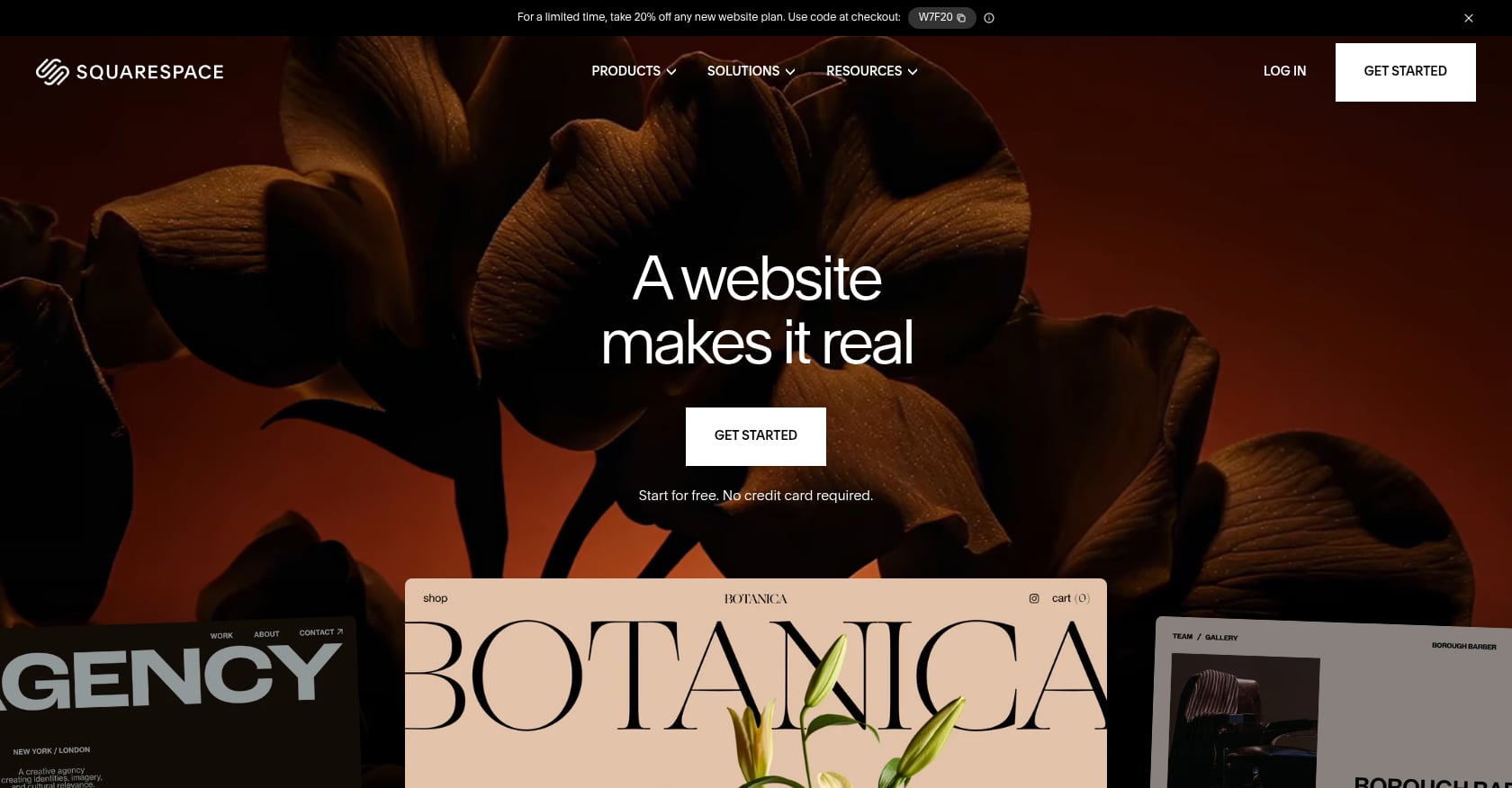
Best for: Design-conscious authors who prioritize visual polish and want low maintenance.
Pricing: Plans start at $16/month and go up to $33/month. That’s a predictable $192 to $780 annually. The 14-day free trial lets you build and explore, but you can’t publish without a paid plan. If you want to sell books directly through your site, you’ll need the pricier commerce tier.
Key features for writers:
- Strong typography, spacing, and layout discipline that suits long-form reading and book showcases.
- All-in-one solution: hosting, security, SSL certificates, and updates are handled for you.
- Built-in blogging tools with categories, post scheduling, social sharing, RSS feeds, and author bios.
- Around 180 professionally designed templates, many of which work beautifully for author sites with minimal customization.
Limitations:
- No author-specific features. There’s no ISBN import, no book-native page templates. You’re building everything from general-purpose components.
- Selling books directly is clunky. Ebook delivery requires external services, and commerce features only unlock on higher-priced plans.
- Less extensible than WordPress. You can’t add custom plugins or functionality beyond what Squarespace offers.
What practitioners say: A Squarespace-specialist designer who builds author websites noted that “there is not as much functionality available as in WordPress (with all of its plugins), but Squarespace is easier to learn and to use. Most of my clients choose Squarespace for their author website because they want to be comfortable making simple updates themselves.”
Verdict: The best general-purpose website template for writers who care about aesthetics and don’t want to think about hosting or security.
2. WordPress.org (Self-Hosted)
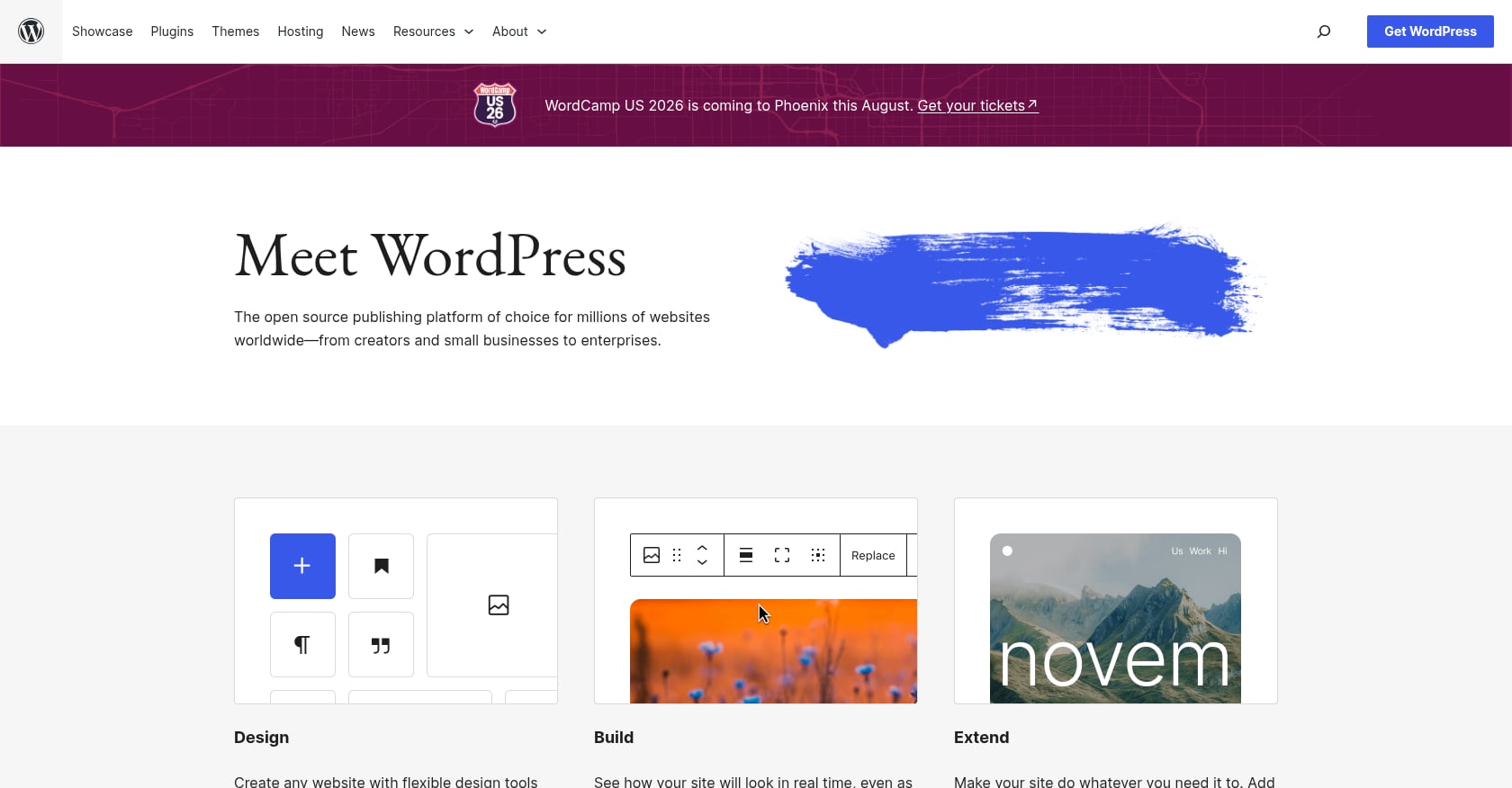
Best for: Authors comfortable with technology or willing to hire a developer for maximum control.
Pricing: WordPress itself is free and open source. The real cost sits in hosting, premium themes, and plugins. For most author websites, the total can be kept below $10/month. Popular hosting options include Hostinger (from $2.69/month) and IONOS (from $1/month). Expect $200 to $500+ per year when you factor in premium plugins and theme costs.
Key features for writers:
- Powers 43.4% of all websites on the internet, which means endless community support, tutorials, and developer availability.
- Massive theme ecosystem. Astra alone offers 20+ professionally designed author and writer website templates built for authors, bloggers, copywriters, and content creators.
- Total ownership of your content and data. You can move your site to any host at any time.
- Virtually unlimited extensibility through plugins (email capture, SEO, e-commerce, membership areas, you name it).
Limitations:
- Steep learning curve compared to drag-and-drop builders. The dashboard alone can be overwhelming for non-technical users.
- You’re responsible for updates, security patches, backups, and troubleshooting plugin conflicts. This maintenance is ongoing and never stops.
- Plugin compatibility issues can break your site after routine updates.
What practitioners say: Author website designers who’ve moved clients from WordPress to Squarespace report that many authors found WordPress maintenance burdensome. One author commented on a Booklaunch.com post that they’d “love a self-hosted site” but the ongoing hosting costs and maintenance needs were hard to justify for a simple author site.
Verdict: The most powerful option on this list, but only worth it if you enjoy tinkering or have budget to hire help. If you’re planning a book launch, spending hours debugging plugins is the last thing you need.
3. Wix
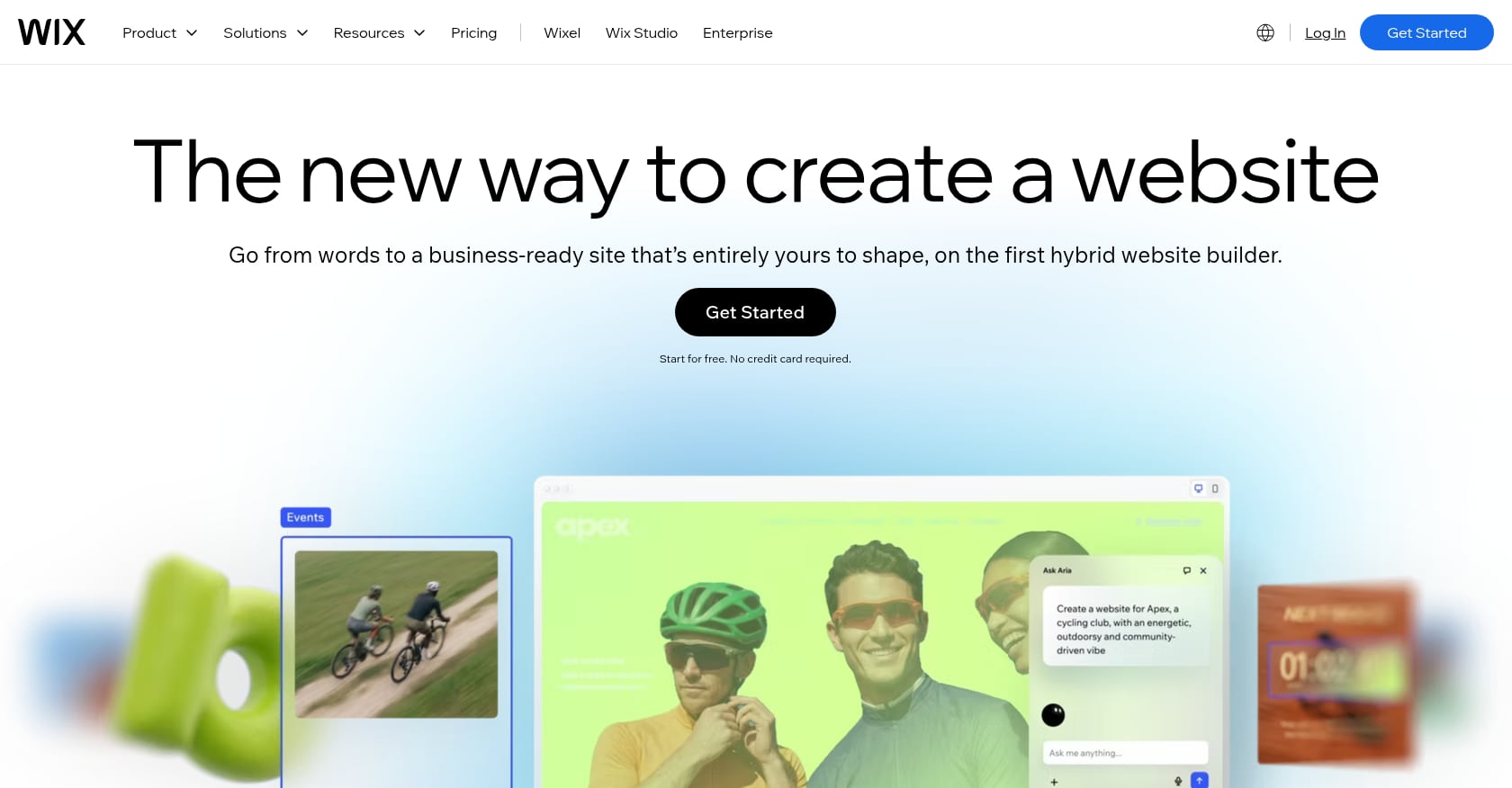
Best for: Authors who want maximum template variety and design flexibility.
Pricing: Four premium plans ranging from $17 to $159 per month (billed annually). A free plan exists, but your site will live on a Wix-branded subdomain with Wix ads displayed on your pages. You also cannot connect a custom domain on the free plan.
Key features for writers:
- Among dedicated website builders, Wix leads with 45% market share.
- 19 templates specifically in its Literary Arts category, plus over 900 total templates (compared to Squarespace’s roughly 180).
- Full drag-and-drop editor with pixel-level design control.
- App marketplace for adding functionality (booking, events, membership areas).
Limitations:
- That total design freedom is a double-edged sword. Practitioners on forums frequently warn that Wix’s flexibility can quickly lead to cluttered, unstructured sites if you lack design instincts.
- Selling books means adding a separate store module and bolting on additional tools.
- Email marketing tools are an add-on ($10+/month), not built into the base plan.
- Once you choose a template, you cannot switch to a different one without rebuilding your site from scratch.
Verdict: Solid if you want lots of visual options and don’t mind assembling the author-specific pieces yourself. The Literary Arts templates give you a head start, but you’ll still need to configure book pages and email capture manually.
4. Hostinger Website Builder
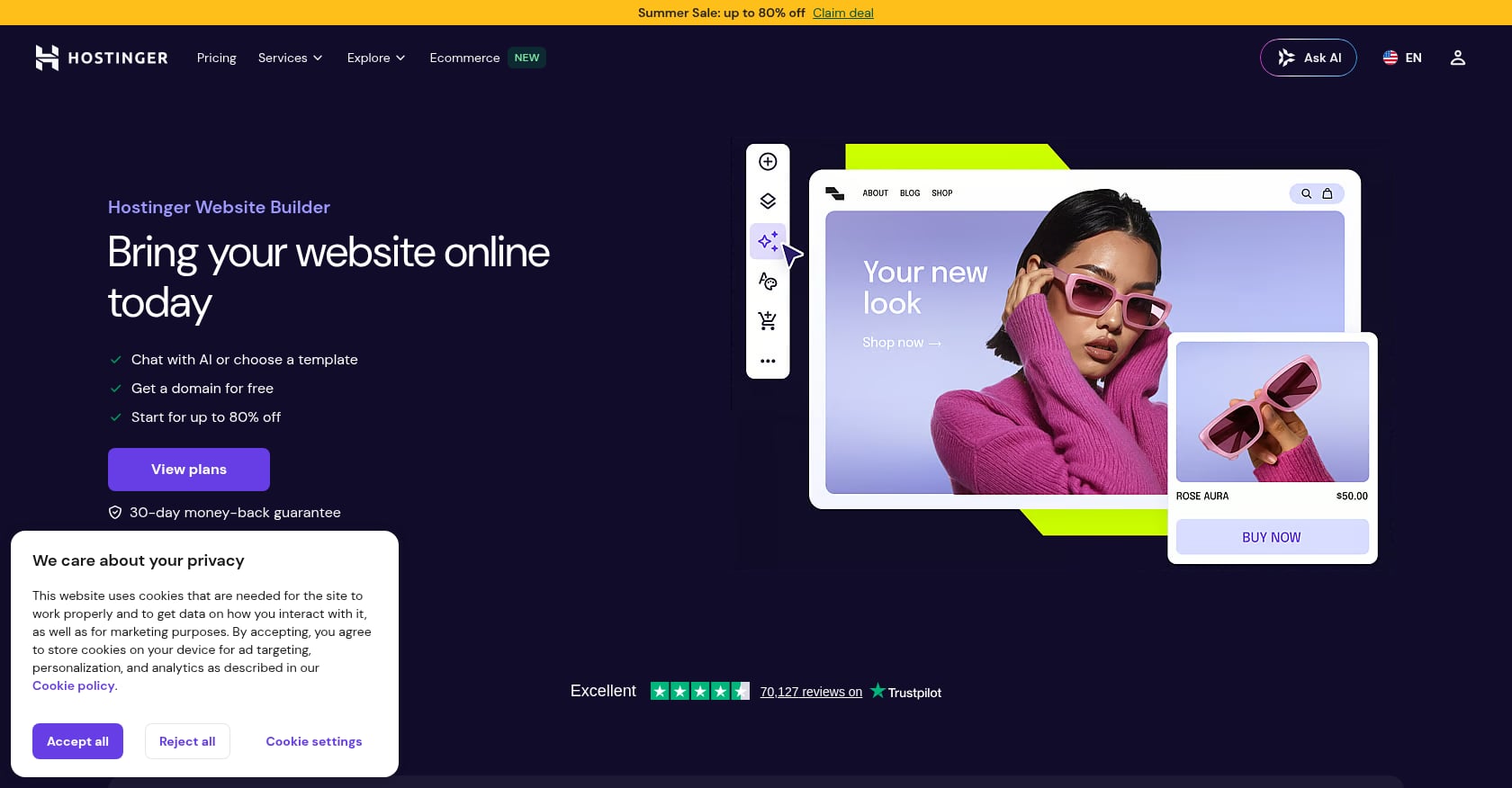
Best for: Budget-conscious debut authors who want the lowest possible entry price.
Pricing: Plans start at approximately $2.69/month. Here’s the catch that most reviews gloss over: when your subscription renews, the price jumps to $10.99/month (Premium) or $16.99/month (Business). That’s more than a 5x increase. Authors who sign up for the low intro rate often feel locked in at renewal because Hostinger is a closed platform. You can’t download your website or move it to another host.
Key features for writers:
- One of the better drag-and-drop builders on the market, with genuinely intuitive controls.
- AI website generation tools. One reviewer reported it took Hostinger’s AI builder just 19 seconds to generate a custom template.
- Marketing features included even on lower tiers.
- Hosting bundled in (obviously, since it’s a hosting company).
Limitations:
- No author-specific templates. All themes are responsive and professional-looking, but none are designed with book pages or retailer links in mind.
- Lacks important blogging features such as commenting functionality.
- The renewal price trap is significant. That $2.69/month introductory rate is temporary, and migration is painful.
Verdict: Tempting on price, but approach with open eyes. Factor in the renewal cost when comparing against Squarespace or Tertulia, and understand you’re trading long-term flexibility for short-term savings. For a fuller picture of where your money should go, check out our self-publishing budget breakdown.
5. Tertulia for Authors
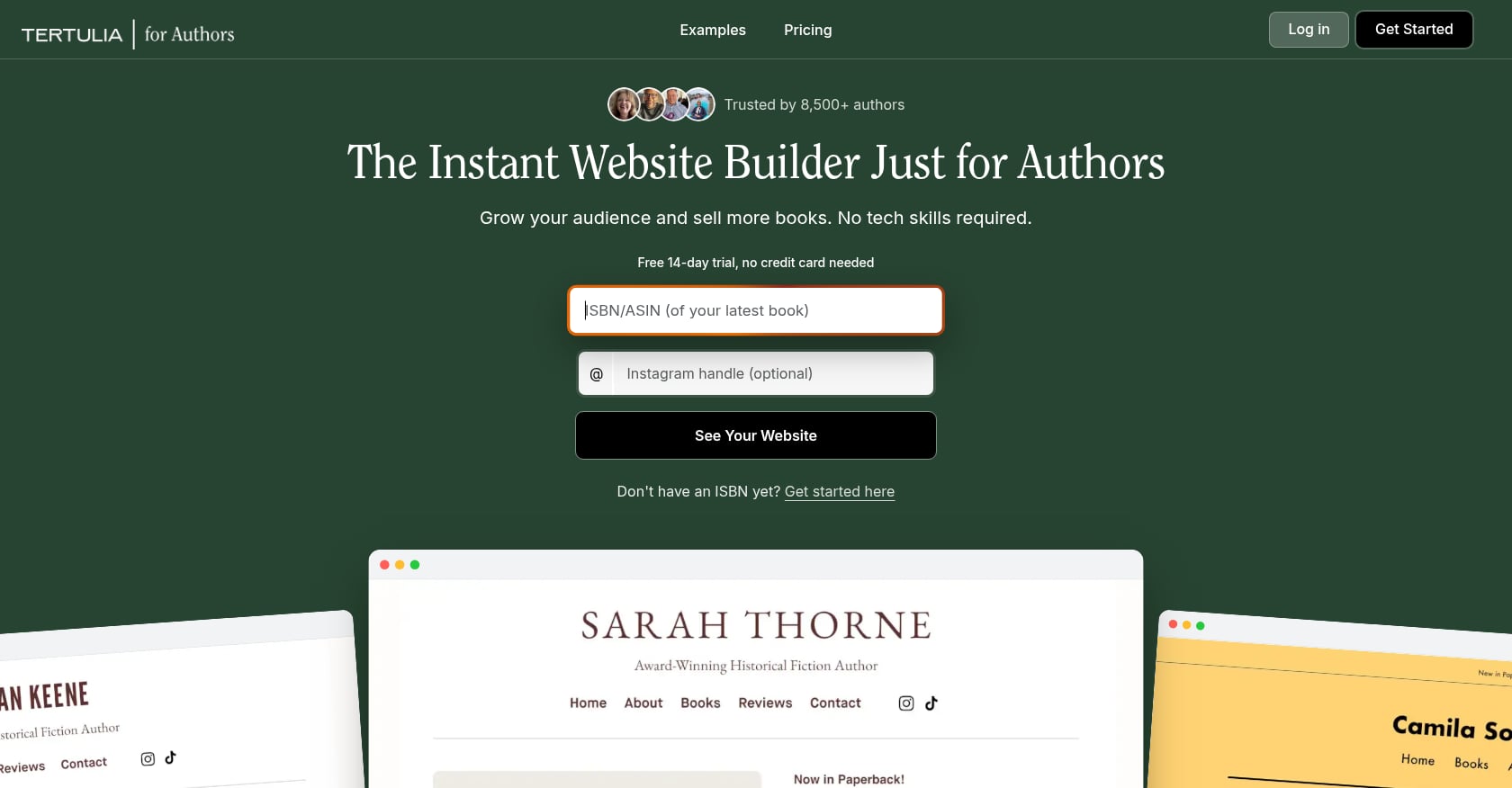
Best for: Authors focused on selling books directly who want a professional site without becoming their own webmaster.
Pricing: Basic plan is $7.99/month (billed annually; $9.99 monthly). Pro is $15.99/month (billed annually; $19.99 monthly) and adds direct ebook, audiobook, and print book sales with no Tertulia commission. Every plan starts with a 14-day free trial with full Pro features, no credit card required.
Key features for writers:
- Enter a book’s ISBN and it builds your site automatically, importing your books, covers, descriptions, reviews, and retailer links. Then it layers on a blog, events calendar, email capture, and a storefront.
- Purpose-built for authors. Every feature exists because a writer needs it, not because it was adapted from a generic business template.
- Direct sales capability on the Pro plan means you keep more revenue per book.
- Built-in email tools without needing third-party integrations.
If you don’t have your ISBNs set up yet, our guide on how to obtain an ISBN walks through the process.
Limitations:
- Fewer template and design options than Squarespace or Wix. If design customization is your priority, you’ll feel constrained.
- Smaller user community means fewer tutorials and third-party resources.
- Relatively new platform, so long-term viability is an open question.
What practitioners say: One author blogger shared that she “figured it would take a lot of time to research the best author website template. In my experience, setting up a page of books that’s easy for readers to shop can be a huge hassle.” She found Tertulia solved that specific problem. Another commenter noted it looked “so much easier than WordPress!”
Verdict: The strongest fit if your primary goal is to sell books directly and look professional without a steep learning curve. The ISBN auto-import alone saves hours of setup time.
6. Zenpage
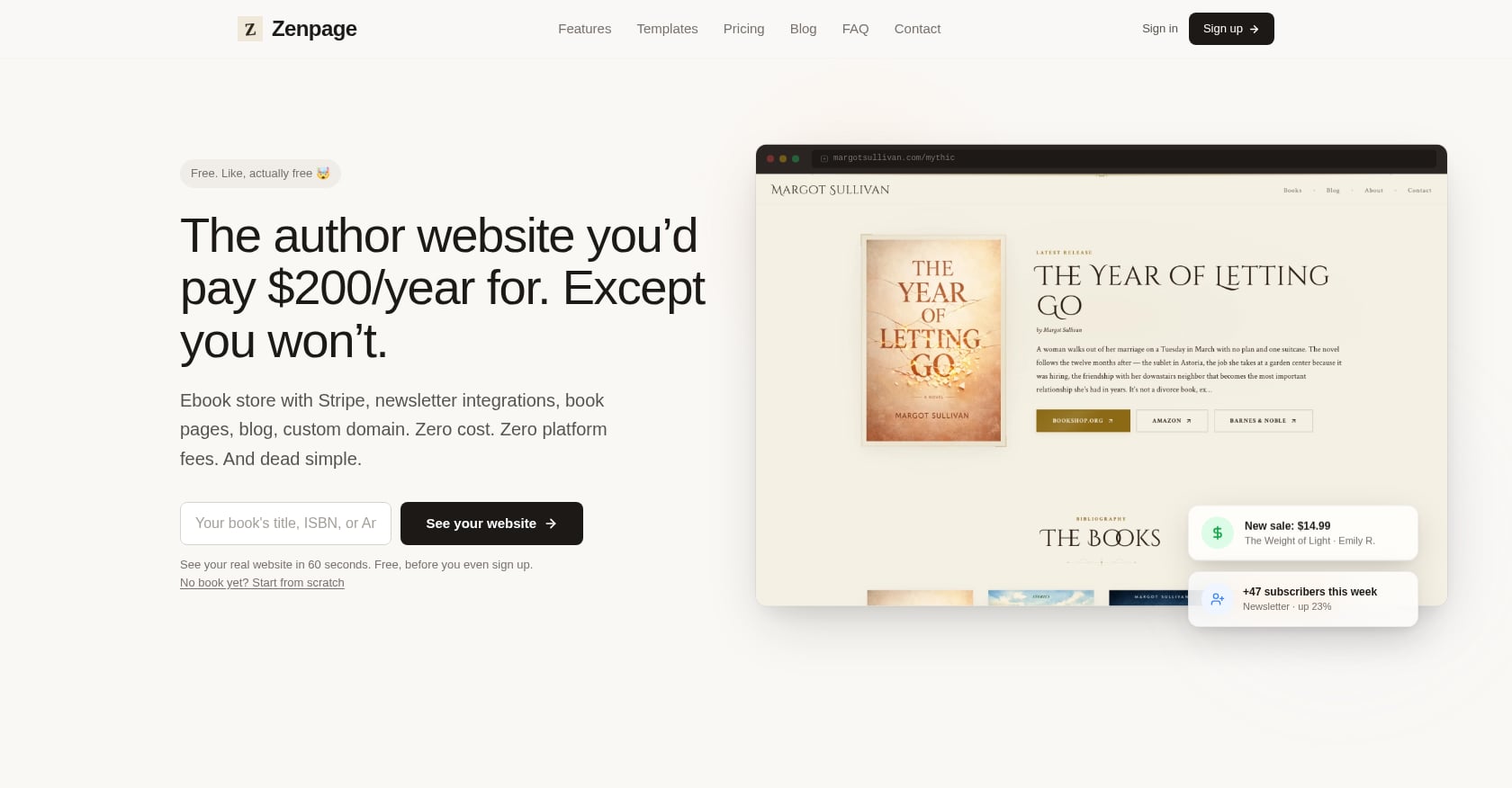
Best for: Debut authors on zero budget who want a professional-looking site in minutes.
Pricing: Free. Completely free. The platform costs nothing. If you want a custom domain, that’s about $12/year through any domain registrar. That’s it.
Key features for writers:
- Designed specifically for authors. Pick a template, enter your book info (or paste an ISBN and let it auto-import), write a bio, and you’re live.
- The whole setup process takes about 15 minutes.
- Multiple color schemes per template give you some visual variety.
- No technical knowledge required whatsoever.
Limitations:
- Five templates total (with multiple color schemes each), which is nothing compared to Wix’s 900+.
- No drag-and-drop editor. You work within the template structure as-is.
- Limited customization. If you want pixel-level design control, this isn’t the tool.
- Basic email capture and limited direct sales functionality.
Verdict: The fastest path from “I need a website” to “I have a website.” Perfect for first-time authors who need a web presence now and plan to upgrade later. Zero financial risk.
7. BookBub Author Websites
Best for: Authors already active on BookBub who want an ecosystem-connected web presence at minimal cost.
Pricing: The free author profile costs nothing. Their website builder tool runs around $10/month, roughly $120/year.
Key features for writers:
- Auto-imports your books, reviews, and author photo from BookBub’s database.
- Integration with BookBub’s massive reader ecosystem, which is valuable for discovery.
- If you need something live in 15 minutes with zero budget, the free profile works as a stopgap.
Limitations:
- You’re locked into BookBub’s design system. Customization options are limited, and sites tend to look identical to each other.
- No clean export path. If you ever want to leave, migration is painful since your content doesn’t come with you easily.
- No real email signup capabilities, no blog, and minimal customization. Industry practitioners describe it as “a placeholder until you’re ready to invest in a real website.”
Verdict: Think of this as a stepping stone, not a destination. You’ll outgrow it the moment you need email signups, a blog, or any meaningful customization.
8. Copyfolio (Letterpress Template)
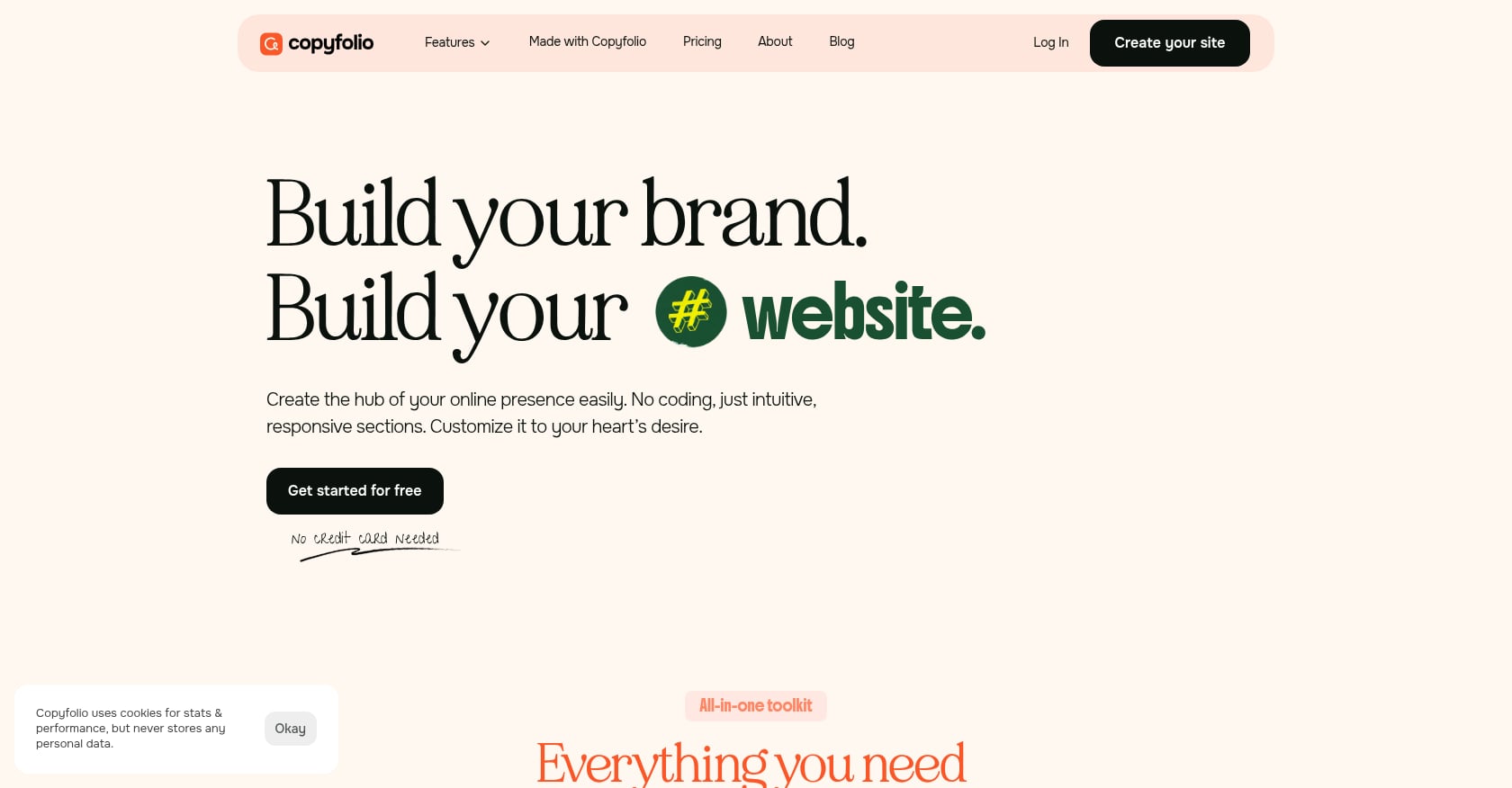
Best for: Portfolio-style writers, especially copywriters and content creators who also write books.
Pricing: Freemium model with a usable free plan. Paid tiers unlock custom domains and advanced features.
Key features for writers:
- Each new site comes pre-filled with the most important pages and sections, so you’re not starting from a blank canvas.
- Global color palettes and font presets let you build a polished site without design skills.
- One-click mockups create professional presentation of your work.
- The Letterpress template was specifically created with authors in mind.
Limitations:
- No direct book sales functionality.
- No built-in email marketing tools.
- Better suited for showcasing writing portfolios than selling books to readers.
- Limited template options compared to general-purpose builders.
Verdict: A strong choice for writers whose website serves double duty as a professional portfolio and author site. Less ideal for fiction authors focused purely on book sales.
9. Jin & Co. (Done-For-You WordPress Templates)
Best for: Authors who want a truly custom, professional look without DIYing any of it.
Pricing: One-of-a-kind designs at fixed upfront prices (specific pricing requires a consultation). This is a premium, hands-off experience.
Key features for writers:
- Pre-designed foundations tailored specifically to your books and branding. These aren’t generic templates with your name pasted in.
- Most authors launch in 3 to 4 weeks once content is ready. Smaller catalogs can be faster.
- Designed and built with accessibility in mind, aiming for WCAG 2.2 Level AA compliance.
- Built on WordPress, so you retain the platform’s full extensibility after launch.
Limitations:
- Higher cost than any DIY option on this list.
- You still inherit WordPress maintenance responsibilities after handoff (or need to budget for ongoing support).
- Longer timeline than “sign up and go live today” builders.
Verdict: The right call for established authors with a catalog and budget who want something distinctive. Not practical for debut authors testing the waters.
Which Website Template Is Right for Your Writing Career?
The “best” website template for writers doesn’t exist in the abstract. It depends on where you are in your career, what you can spend, and how much time you want to invest in setup versus writing.
If you’re a debut author with no budget: Start with Zenpage. It’s free, it’s author-specific, and you can be live in 15 minutes. Upgrade when your career demands it.
If you’re a debut author with a small budget: Tertulia at $7.99/month gives you an author-specific site with ISBN import and built-in email tools. Best bang for your buck.
If design matters most to you: Squarespace. The templates are beautiful out of the box, and maintenance is minimal.
If you want maximum control: WordPress.org. The learning curve is real, but so is the flexibility.
If you want lots of template options: Wix. Over 900 templates, including 19 in their Literary Arts category.
If budget is everything: Hostinger gets you in the door cheap, but remember that 5x renewal jump.
Here’s the most important thing none of these platforms can do for you: a website without a professionally produced book is just an empty stage. Your cover design, formatting, editing, and distribution need to be right before your website can do its job. That’s where Alpaca Authors’ book publishing packages come in, handling editorial, cover design, ISBN setup, and distribution to 40+ global platforms so your website has something worth showcasing.
The Direct Sales Trend Authors Can’t Ignore
This is worth its own section because it should influence your template decision.
According to Written Word Media’s 2025 author survey, 30% of authors are already selling books directly from their own websites, and another 30% are planning to start. Amazon’s share of author revenue dropped from 91% in 2023 to 83% in 2025. Authors are waking up to the value of owning the customer relationship.
What does this mean for your template choice? Platforms that support e-commerce matter more now than they did two years ago. Tertulia’s Pro plan, Squarespace’s commerce tier, and WordPress with WooCommerce all let you sell directly. Zenpage and BookBub don’t, which limits their long-term usefulness.
Selling direct also requires retail-quality book files. Sloppy formatting or a poorly converted ebook won’t cut it when you’re the retailer. That’s another reason to get the publishing side right before worrying about web design. And if you’re considering adding audiobooks to your direct-sales catalog, our audiobook publishing guide covers the production and distribution process.
Your Email List Matters More Than Your Template
Every writer website template in this article supports some form of email capture. But the quality of that implementation varies wildly, and it matters more than almost any other feature.
Your author website has one job: convert visitors into readers, subscribers, or buyers. Everything else is decoration. Most author websites fail not because they chose the wrong template, but because they’re static book catalogs with no conversion path.
Place email signup forms on every page, not just a dedicated “subscribe” page. Offer something valuable in exchange for the email address (a free short story, a deleted chapter, a reading guide). Then actually email your list regularly.
Platforms like Tertulia and Squarespace include basic email tools. WordPress authors can integrate Mailchimp, ConvertKit, or MailerLite through plugins. Wix offers email marketing as a paid add-on. The tool matters less than the habit of consistent outreach. For deeper strategies on reaching readers through newsletters and beyond, our book marketing glossary covers the full range of tactics.
Essential Pages Every Author Website Needs
Regardless of which template you choose, these six pages form the backbone of an effective author site:
Homepage. Your digital front door. It should immediately tell visitors who you are, what you write, and what you want them to do next (usually sign up for your newsletter or check out your latest book). Keep it focused. One clear priority, not a buffet of competing calls to action.
Books page. This is the single most important page on your website. Include cover images, descriptions, and buy links to multiple retailers. If you’re using a platform like Tertulia or Zenpage with ISBN import, this page practically builds itself.
About page. Consistently the most-visited page on author websites. Write it in a warm, personal voice. Include a professional headshot. Mention your genre, your background, and something that makes you human. This isn’t your LinkedIn bio.
Newsletter signup page. Even if you have signup forms embedded throughout your site, a dedicated landing page gives you something to link to from social media, podcast interviews, and email signatures.
Contact page. Agents, librarians, journalists, and event organizers need a reliable way to reach you. A simple form is fine. Include your agent’s contact information if you have representation.
Blog (optional). A blog can help with search engine discoverability and give readers a reason to return. But only commit to it if you’ll update consistently. An abandoned blog with a last post from 2022 hurts more than having no blog at all.
Frequently Asked Questions
How much does a writer website cost?
It ranges from completely free (Zenpage, BookBub’s free profile) to $780/year (Squarespace’s top plan) for DIY builders. Building a custom author website from scratch with a designer can cost anywhere from $1,000 to $10,000+. Author website templates are often available for $50 to $200 as a one-time purchase if you go the WordPress route. For most authors, $100 to $300 per year covers a solid, professional site.
Can I build an author website for free?
Yes. Zenpage is completely free and designed specifically for authors. BookBub offers a free author profile. Wix has a free plan, though it displays Wix branding and ads on your site. Copyfolio has a usable free tier. Free options work well as starting points, but you’ll likely outgrow them as your career develops.
What’s the best free website template for writers?
Zenpage is the best free option built specifically for authors. It auto-imports your book data via ISBN, gets you live in about 15 minutes, and looks professional. Copyfolio’s Letterpress template is another strong free option, especially for writers who also need a portfolio. Both beat the free tiers from general-purpose builders because they’re designed around what authors actually need.
Do I need a website if I’m not published yet?
You don’t need one, but starting early has advantages. An “coming soon” page with a newsletter signup starts building your email list before launch. It also gives you a professional web presence if agents, publishers, or media contacts Google your name. Zenpage or a simple single-page site is enough at this stage. If you’re still weighing whether to self-publish your book, getting your publishing path sorted matters more than getting your website perfect.
Should I sell books directly from my website?
The trend points strongly toward yes. With 30% of authors already selling direct and Amazon’s dominance decreasing year over year, owning the customer relationship is increasingly valuable. You keep a higher percentage of each sale, you get buyer email addresses, and you’re not dependent on any single retailer’s algorithm. Tertulia’s Pro plan, Squarespace’s commerce tier, and WordPress with e-commerce plugins all support this. Just make sure your book files are retail-quality before you become your own storefront.
Should my website template match my book genre?
Absolutely. A romance author’s site should feel different from a tech thriller author’s site. Colors, fonts, imagery, and overall mood should align with your book covers and the expectations of your target readers. This is one of the most overlooked aspects of choosing a website template for writers. Pick a template that can be styled to match your genre, not just one that looks generically “nice.”
What if I write in multiple genres?
Most templates support multiple book pages or categories, so you can organize titles by genre or pen name. Squarespace and WordPress handle this well through page hierarchies and categories. If you write under different pen names, consider whether you need separate sites or a single site with clear navigation between genres. A single site is simpler to maintain. Separate sites are better if the genres have zero audience overlap.
Ready to make sure your website has a professionally published book to showcase? Explore Alpaca Authors’ publishing packages for editorial, cover design, ISBN setup, and distribution to 40+ global platforms.